SON Line Split Tool – Split Large JSON Files Online with Precision
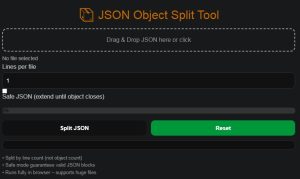
JSON Object Split Tool
Split Large JSON Files Safely, Fast, and Fully in Your Browser
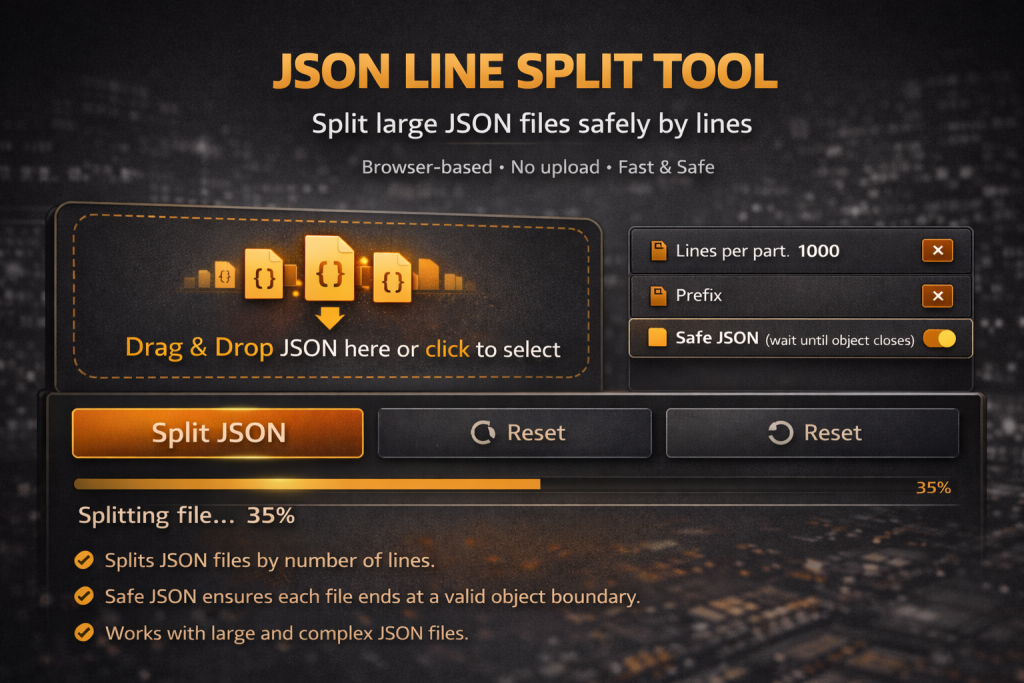
JSON Line Split Tool is a powerful online utility designed to help you split large JSON files into smaller, manageable parts without breaking their structure. Whether you are working with massive datasets, APIs, or configuration files, this tool ensures accuracy, speed, and complete privacy.
No uploads. No servers. No limits.
What Is JSON Line Split Tool?
JSON Line Split Tool allows you to divide a JSON file based on a specific number of lines while preserving valid JSON syntax. It works with almost any JSON format, including deeply nested objects, arrays, and mixed content.
All processing happens entirely on your device, making it safe for sensitive or private data.
Why Use a JSON Split Tool?
Large JSON files can cause serious problems:
-
Editors become slow or crash
-
APIs reject oversized payloads
-
Databases fail to import large JSON files
-
Debugging becomes difficult
By splitting JSON into smaller parts, you can work faster, debug easier, and process data more reliably.
Key Features
🔹 Split JSON by Line Count
Choose exactly how many lines each output file should contain, giving you full control over file size.
🔹 Safe JSON Mode
When enabled, the tool:
-
Ensures objects are fully closed before splitting
-
Prevents corrupted or incomplete JSON
-
Maintains correct
{},[]structure
Perfect for complex or nested JSON files.
🔹 Universal JSON Compatibility
Supports:
-
JSON arrays and objects
-
Nested structures
-
Large text blocks
-
HTML inside JSON
-
Unicode, numbers, and mixed data types
If it’s valid JSON, this tool can split it.
🔹 Optimized for Very Large Files
-
Smooth performance even with huge JSON files
-
Non-blocking processing
-
Real-time progress indicator
🔹 Accurate File Size Display
Automatically displays file size in KB or MB, ensuring clarity and precision.
🔹 100% Client-Side & Private
-
No file uploads
-
No server processing
-
No tracking or storage
Your data never leaves your browser.
How to Use JSON Line Split Tool
-
Drag & drop your JSON file into the tool
-
Enter the number of lines per output file
-
Enable Safe JSON Mode if needed
-
Click Split JSON
-
Download each generated file
-
Click Reset to start a new task
Simple, fast, and reliable.
Who Is This Tool For?
-
Web developers and backend engineers
-
Data analysts and data engineers
-
AI & machine learning dataset preparation
-
Technical SEO specialists
-
Anyone working with large JSON files
Benefits Compared to Other Tools
| Feature | JSON Line Split Tool |
|---|---|
| No upload required | ✅ |
| Works with large JSON | ✅ |
| Preserves valid JSON | ✅ |
| Browser-based | ✅ |
| Free to use | ✅ |
| No account needed | ✅ |
Final Thoughts
JSON Line Split Tool is a reliable, privacy-friendly solution for splitting large JSON files directly in your browser. It eliminates size limitations, avoids broken data, and keeps your workflow efficient.
If you regularly work with JSON, this tool will save you time and frustration.
Try it now and split JSON files with confidence.